






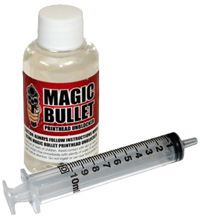

Magic Bullet Printhead Cleaner
|
Magic Bullet Printhead Cleaner In stock.
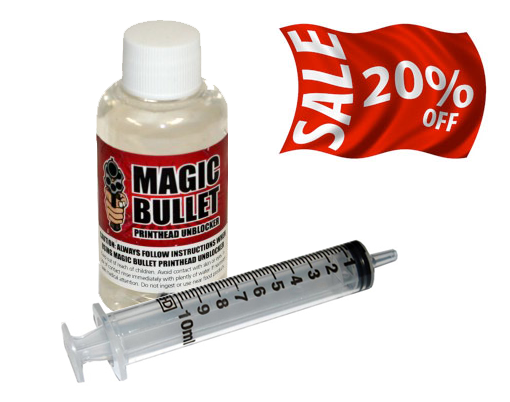
A blocked printer causes many people to throw away perfectly good printers wasting hundreds of pounds on buying a new printer. However if you have a printer clogged with Ink don’t panic! Just use Magic Bullet print head Cleaner to restore your printer to “as new”!
Most Helpful Customer Reviews
Thank you for your follow up email. My purchase of Magic Bullet arrived on time and I managed to clear the blocked printer heads on my Epson R3000. This was definitely a cheaper option to buying a new printer. I used Magic Bullet today on a very stubborn Epson SP895. I put some kitchen paper under the print head to absorb and retain any fluid that passed through. Otherwise followed the instructions and low and behold after just four nozzle cleans and print checks, a clear bill of health. Printed a photo and where the yellow ink previously refused to appear, everything is now Ok. It is just a pity that I hadn't heard of your product before I went out and bought a new printer". |
 |
Step 1 Carefully remove the printer cartridges to reveal the intake for the print head. It is advisable to remove the cartridges one at a time. Open your Magic Bullet Print Head Cleaner.
|
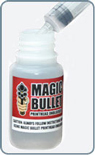 |
Step 2 Draw about two millimeters of Magic Bullet liquid up in to the syringe. Carefully place the tube over the intake for the printer head, very gently and slowly press the syringe to inject a small amount (half a millimeter) of the Magic Bullet Print Head Cleaner. It's very important that too much force is not used, printer heads are very fine and too much force can damage the nozzles. |
 |
Step 3 After injecting a small amount of printer head restorer leave the syringe connected, this will allow the fluid to stay in contact with the blockage. For really badly blocked printer nozzles, every ten minutes push the syringe a little more causing more fluid to wash past the blockage. As before take care not to use too much force, it's also possible to push and then pull the syringe back, causing a see-saw action. The longer the fluid is in contact with the blockage the better the results. |
 |
Free Essential Printer Maintenance Video with all Magic Bullet Purchases All Magic Bullet Print Head cleaners come with our Essential Printer Maintenance Video. The Essential Printer Maintenance video includes the following tutorials - These tutorials will provide you with the knowledge and skills to be able to restore your printer to "as new"! |
| MAGIC BULLET PRINT HEAD CLEANER: |  |
|
|
||

 |
Specialist Inks ship worldwide *All prices are Excluding VAT for EU sales |
 |
| All items above in stock | Safe and secure online shopping | |
 |
|
|

|
||
|
|
|

 UK & Europe

