






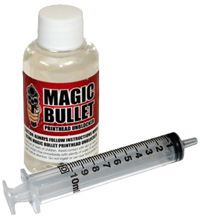

Magic Bullet Printhead Cleaner
|
Magic Bullet Printhead Cleaner In stock.
A blocked printer causes many people to throw away perfectly good printers wasting hundreds of pounds on buying a new printer. However if you have a printer clogged with Ink don’t panic! Just use Magic Bullet print head Cleaner to restore your printer to “as new”!
Most Helpful Customer Reviews
Thank you for your follow up email. My purchase of Magic Bullet arrived on time and I managed to clear the blocked printer heads on my Epson R3000. This was definitely a cheaper option to buying a new printer. I used Magic Bullet today on a very stubborn Epson SP895. I put some kitchen paper under the print head to absorb and retain any fluid that passed through. Otherwise followed the instructions and low and behold after just four nozzle cleans and print checks, a clear bill of health. Printed a photo and where the yellow ink previously refused to appear, everything is now Ok. It is just a pity that I hadn't heard of your product before I went out and bought a new printer". |
The answer to this is simple, ink dries on contact with air, we expect ink to dry immediately on contact with the paper. As our demands grow for printers that can replicate more detail the size of the nozzles decrease while the number of nozzles increases, this leads to printers becoming more susceptible to blockages.
The most common kind of blocked printer heads are where no prints have been produced for a period of time, the longer you wait in between printing the greater the chance of ink drying in / or on the head, newly installed cartridges can also causes blockages due to tiny electrostaticly charged air bubbles blocking the print head, these will dissipate over a few hours, after which a basic nozzle clean will charge the print head allowing prefect prints to be made.
The third and rarest form of blockage is caused by the ink it’s self, most inks these days are of good quality and don’t cause the ink to flocculate or clog. If you purchase your ink from a high quality source it is highly unlikely that the ink will be the cause of the problem.
Before we start on tips to rectify blocked printer heads, lets clear one thing up, doing multiple cleaning cycles will not cure anything, by running successive cleans all you will accomplish is the wasting of ink ( a lot of ink ), the filling up of your maintenance tank and causing ink to accumulate on the underside of the print head, which will make matters worse since it will dry very quickly and compound the problem.
If the blockage is not that bad and only a few gates in the nozzle check are missing a test print with an array of basic colours is often all you need to get your printer working again. If the yellow channel is partially blocked, open Photoshop up, create a new page to match the size of your media and colour it yellow, run 3 or 4 prints off, this should cure light blockages. If an improvement is witnessed but the nozzle check is still not 100% wait 30 minutes and repeat.
If the above does not remedy your problem or the blockage is more severe read about our unique printhead cleaner which works from the inside out, cleaning blocked heads and flushing away dried in for good.
 |
Step 1 Carefully remove the printer cartridges to reveal the intake for the print head. It is advisable to remove the cartridges one at a time. Open your Magic Bullet Print Head Cleaner.
|
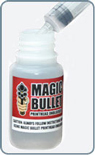 |
Step 2 Draw about two millimeters of Magic Bullet liquid up in to the syringe. Carefully place the tube over the intake for the printer head, very gently and slowly press the syringe to inject a small amount (half a millimeter) of the Magic Bullet Print Head Cleaner. It's very important that too much force is not used, printer heads are very fine and too much force can damage the nozzles. |
 |
Step 3 After injecting a small amount of printer head restorer leave the syringe connected, this will allow the fluid to stay in contact with the blockage. For really badly blocked printer nozzles, every ten minutes push the syringe a little more causing more fluid to wash past the blockage. As before take care not to use too much force, it's also possible to push and then pull the syringe back, causing a see-saw action. The longer the fluid is in contact with the blockage the better the results. |
 |
Free Essential Printer Maintenance Video with all Magic Bullet Purchases All Magic Bullet Print Head cleaners come with our Essential Printer Maintenance Video. The Essential Printer Maintenance video includes the following tutorials - These tutorials will provide you with the knowledge and skills to be able to restore your printer to "as new"! |
| MAGIC BULLET PRINT HEAD CLEANER: |  |
|
|
||

 |
Specialist Inks ship worldwide *All prices are Excluding VAT for EU sales |
 |
| All items above in stock | Safe and secure online shopping | |
 |
|
|

|
||
|
|
|

 UK & Europe

